Categories
Mobile App Development

Top 10 Mobile App Development Trends To Watch For In 2022

People are rapidly becoming more reliant on mobile applications. The innovations in technology provide vast opportunities not only for developing new solutions but also for enhancing the existing ones.

While a lot of new trends in mobile app development are emerging every year, here are the top 10 mobile app development trends to watch for in 2022.

The Rise of 5G

5g

While 5G technology has been around for a while, this year, it has become a buzzword. Technology companies have started incorporating 5G at full scale, and we will get to see a wide range of 5G-enabled devices in the market.

Apps for Foldable Devices

Apps for Foldable Devices

2022 should be the year you keep foldable devices in mind while planning out your mobile app development strategy. Developing your apps keeping the screen in mind will be one of the biggest mobile app development trends in 2022.

Wearable App Integration

Wearable App Integration

The rise in wearable technology is very significant around the world.  In 2022 App developers and businesses should get ready with apps that provide excellent digital experiences to users on wearables, to gain a distinct edge over those who do not.

Food & Grocery Delivery Apps

Food & Grocery Delivery Apps

People started relying heavily on food and grocery delivery apps as they stayed at home following the lockdown. As a result, these two were the fastest growing apps in 2020 and 2021. People will never stop ordering food online, and the Grocery apps will still be a top choice for smartphone users even as we go back to normality in 2022.

Augmented and Virtual Reality Integration

Augmented and Virtual Reality Integration

As social distancing technologies have boomed since 2020, mobile apps have gained popularity and are being used in the business space. Using AR and VR, can help showcase their products and services in the best possible way.

Blockchain

mobile app development trends - Blockchain

Blockchain technology is one of the newest mobile app development trends of 2022. There have always been concerns among app users about the security and misuse of data and blockchain  fortunately solves these problems.

Mobile Commerce (M-Commerce)

mobile app development trends - M-Commerce

M-commerce has been an extremely growing trend for the past couple of years, and it will continue to be so in 2022. While COVID really pushed M-commerce, more and more users have adopted it, and the trend of shopping via mobile devices will not stop anytime soon.

Mobile Wallets

Mobile wallets

As a secure and convenient option for making purchases, digital wallets are increasingly used by modern consumers. That’s  why, now more than ever, considering to expand your approved payment methods to include these popular digital wallets is important.

Predictive Analytics

In the year 2022, we’ll see predictive analytics going more mainstream. Predictive analytics can significantly reduce the development time while keeping the quality top notch and focusing more on delivering innovations.

Mobile Learning

The demand for mobile learning apps is high in the recent years. 2022 can be the right time to contact a team that specializes in education app development. to launch a mobile learning solution or train your employees. 

It’s always a good idea to be on top of the latest trends to give you an edge over your competitors. Remember that your apps would not stand out if you were using old-school tactics and trends for the app development.

Categories
Solutions

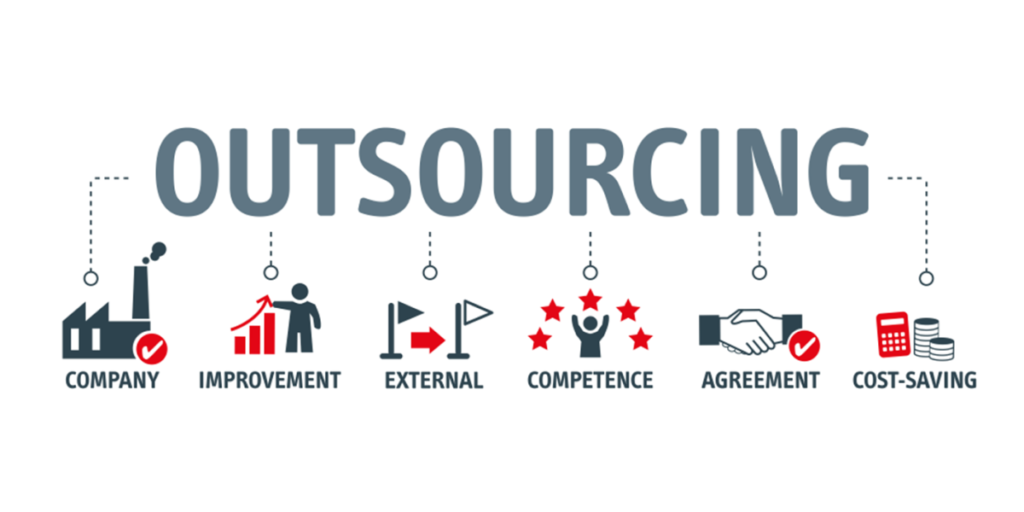
Outsourcing – A Boon or Bane

Business processes outsourcing is not a new concept anymore. The main purpose of outsourcing is ensuring better results in key business elements such as supply chain management, Human Resource Management, logistics and other important processes. Outsourcing helps businesses actually focus their resources and energy on the core products and services. It also adds to cost savings as there is no need to invest separately on a team or infrastructure for carrying out the non-core business activities.

There are many benefits that outsourcing a business activities bring in:

benefits of outsourcing
  • The first and foremost advantage is that outsourcing a business process, and the major purpose that leads businesses to adopt outsourcing strategy is cutting down on expenditure that they have to bear  in order to carry out the activities. 
  • Outsourcing non-core activities to experienced outsourcing partners who can deliver better and complex outsourcing projects by putting in their years of experience and competency in the field.
  • When a particular business activity is outsourced, the outsourcing partner will take care of carrying it out, thus maintaining an infrastructure as well as the required resources for the same. This in turn eliminates the cost of infrastructure and resources off the budget of the business.
  • Outsourcing a service is done on the basis of a contract valid for a limited period so, if one isn’t happy with the services of the outsourcing partner, they can easily switch to a better outsourcing partner without bringing about any losses to the business. 

Though outsourcing services doesn’t belong to the core domain of the service of a business, there are also a few shortcomings of adopting it.

  • When a particular business service is outsourced from another company, they work with their own terms, standards and mission and don’t adhere to the guidelines laid by the company whose service is being outsourced. 
  • Order to cut on the production expenses the outsourcing company might tend to compromise with the quality. This is why it is imperative that the outsourcing company is a reputed one. 

So it really a boon or a bane?

As discussed above, before handing over the reins, be sure you’re working with the right outsourcing partner. Verify that the company has the right industry, domain, technical, and management experience, and work out what best suits your business and the economical environment it will work as a boon for your business.

Categories
Mobile App Development

What are some of the precautions to be taken by mobile app developers to ensure security of the app?

With the rise in the mobile apps organizations are embracing this technology in order to enhance their communications and increase productivity. Mobile apps have now become an active part of every company.

However, if there is one critical aspect that many businesses and users overlook is whether or not mobile applications are secure, as mobile apps are one of the prime targets for malicious activity. 

So how do organizations safeguard their apps while enjoying the benefits that these apps provide? Here are some of the precautions to be taken by mobile app developers to ensure security of the apps:

Write a Secure Code

mobile application security - Write a Secure Code

Bugs are the starting point most attackers use to break into applications. So it is important to keep the security of your code in mind from day one, making it tough to break through. Obfuscate and minify your code so that it cannot be reverse engineered and also test it repeatedly to fix bugs as and when they are exposed. It is also important to keep your code agile so that it can be updated at the user end post a breach.

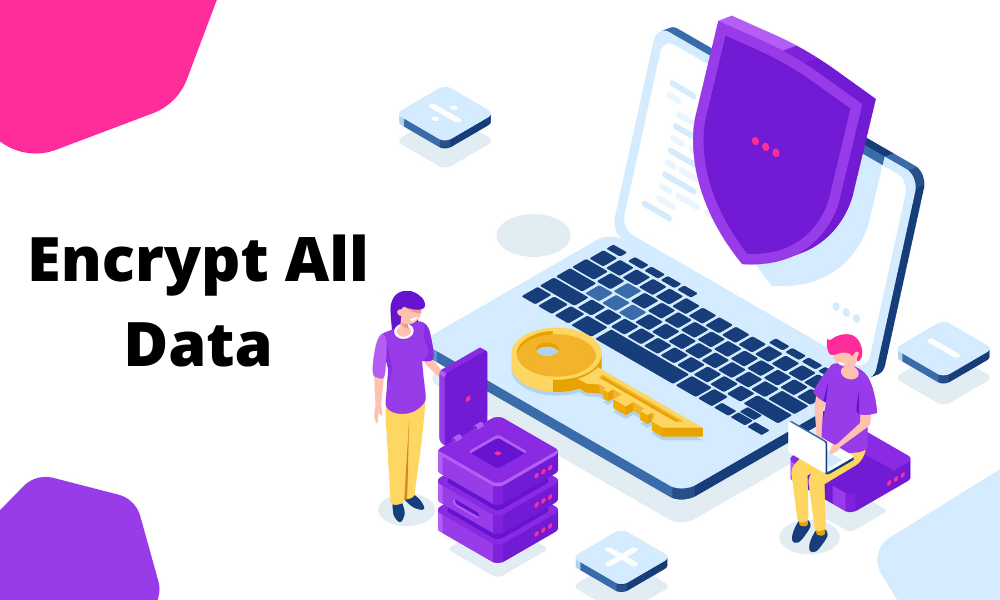
Encrypt All Data

Encrypt All Data

Every unit of data that is exchanged over your app must be encrypted so that even if the data is stolen, there’s nothing that the criminals can read and misuse.

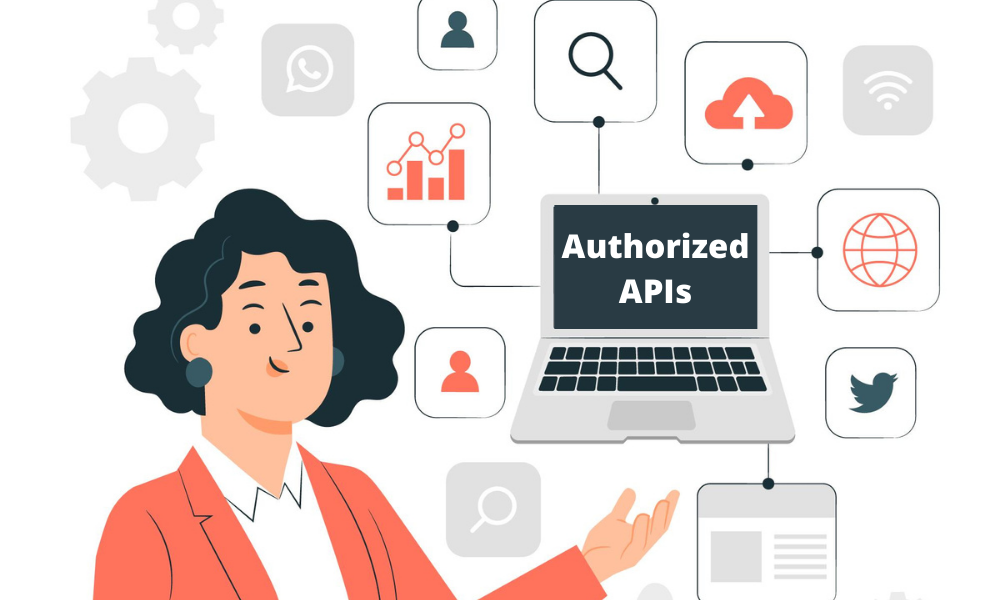
Use Authorized APIs Only

mobile application security - Use Authorized APIs Only

APIs that aren’t authorized/loosely coded can unintentionally grant a hacker privileges that can be misused.  It also gives attackers a loophole through which they can hijack the privileges. It is also recommended that the APIs be authorized centrally for maximum security.

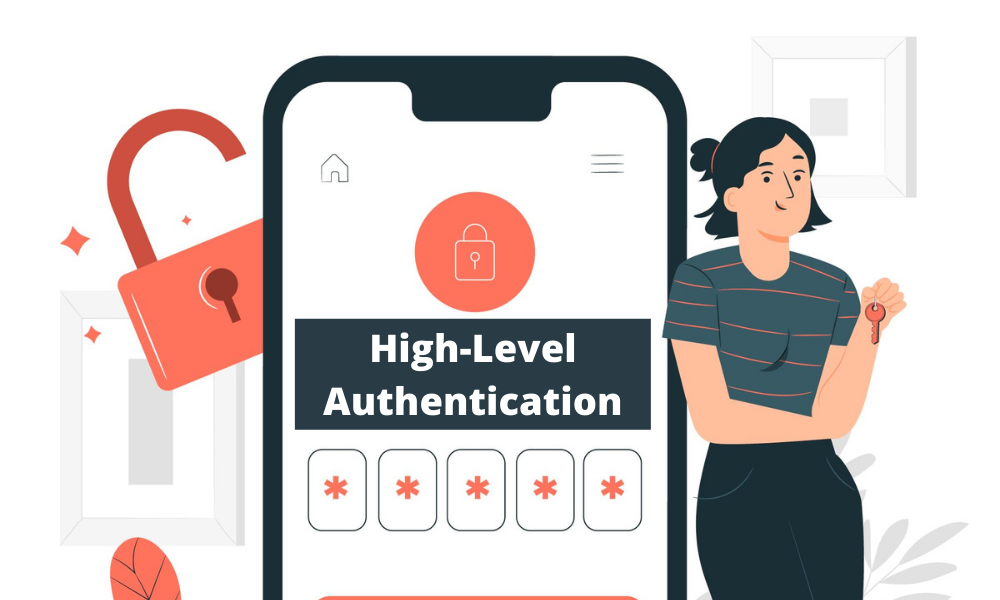
Use High-Level Authentication

Use High-Level Authentication

It is extremely important to use stronger authentication, as some of the biggest security breaches happen due to weak authentication. You can design your apps in such way that it only accepts strong alphanumeric passwords that should be renewed every three to six months. In case of overly sensitive apps, biometric authentication can be used as well.

The above mentioned are some of the precautions that will help you keep your app security tight and your clients and users happy. At Techcedence you can experience the benefits of highly secure and robust apps, that work seamlessly across multiple platforms.

Categories
Mobile App Development

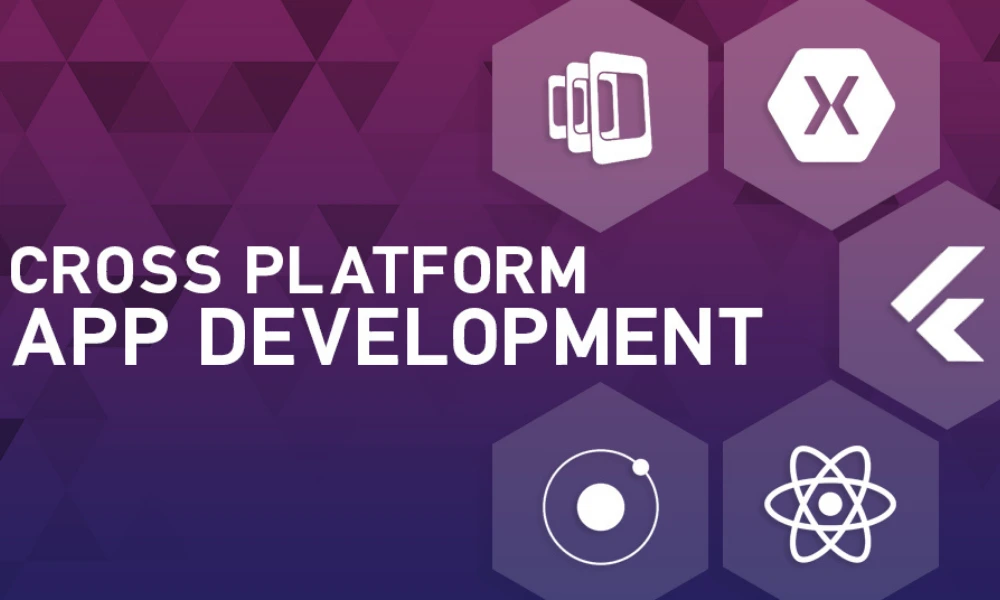
Cross Platform Mobile Application Development

Mobile apps are considered mandatory for businesses like banking, car rental and eCommerce. Android and iOS are the most widely used mobile platforms. For better reach, a mobile application should run on both Android and iOS mobile devices.

Developing a mobile application can be done in two ways. Either develop an app individually for each platform – iOS and Android. Alternatively, develop a common app that can run on different platforms.

Cross-platform development refers to the creation of a mobile application that can run on multiple mobile operating systems. Cross-platform apps are developed using common technologies like HTML, Javascript, .NET and CSS.  The advantage of having a cross-platform app is it is easier to develop a single code base common to multiple platforms, quicker development time and it is cost-effective. Because of these advantages, the cross-platform framework is a preferred choice among small and large enterprises.

Cross-platform apps can be deployed on Google and Apple play store.

Cross-Platform Mobile Framework

To build a cross-platform mobile app requires a mobile app development framework. Though there are many options available, some of the popular frameworks include:

Ionic

It is an open-source framework to develop cross-platform applications for web, iOS, and Android using a single code base. Ionic is built on Angular JS technologies and allows the developer to use HTML5, CSS and Javascript. It takes less time, resources and effort to develop cross-platform applications using IonicJS. Another advantage of using Ionic JS is that it uses plugins allowing developers to create feature-rich mobile applications.  Ionic framework is the choice of developers aiming to create cross-platform applications without compromising quality.

Advantages:

  • Open source and Free
  • Less development time and effort
  • Built on Angular JS
  • Integrates seamlessly with native functionality

Disadvantages:

  • Less secure
  • Not suitable to build complex apps

React Native 

React Native created by Facebook uses javascript framework. Coding is easier as a single javascript code can be used for both iOS and Android platforms. This reduces development time and effort. The framework also supports reusing inbuilt components. Apps developed using React Native can easily integrate with existing mobile applications like GPS.

Advantages:

  • The open-source platform allows the integration of plugins.
  • Allows code reusability between platforms
  • Performance as good as a native app

Disadvantages

  • Javascript does not support decimals. So this framework will not be suitable to develop an app that requires mathematical computations.

Flutter

Flutter is a mobile app SDK by Google to develop applications for Android and iOS. This open-source platform recently launched in 2018 allows building highly interactive interfaces. A single codebase can be used for both iOS and Android development. This dart based framework comes with a library of widgets and tools. It supports Hot Reload which means any changes to the code can be seen immediately on the app.

Advantages:

  • Free and open source
  • App development with Flutter takes very less time
  • The widgets can be used to develop a visually attractive interface

Disadvantages:

  • Though Google provides libraries, some of the functions have to be built which is time-consuming.

Xamarin

Xamarin is based on the .NET framework and provided by Microsoft. It uses C# to create mobile apps. The code can be reused between iOS and Android applications. Xamarin can be used to develop user-friendly apps within less time. Updates and maintenance are made easier in Xamarin by updating the source file which is reflected on iOS and Android apps.

Advantages:

  • The same level of performance as in the native app.

Disadvantages:

  • It comes with license cost.
  • Xamarin based apps can occupy more space and takes more download time

PhoneGap

PhoneGap by Adobe is another popular cross-platform development tool. It is an open-source framework that allows developers to create mobile applications using HTML5, JavaScript and CSS. It allows creating app for different platforms using a single code base.

Advantages:

  • It gives access to device hardware such as camera, geolocation and accelerometer
  • Easy to develop as web developers need not have extra skills.

Disadvantages:

  • The performance of the application can be a little less when compared to native app.
  • It does not have enough UI widgets resulting in more development time.

A framework is an important tool for building a mobile application. Each framework has its own advantages. Depending on the requirement you can select the appropriate framework for developing the application.

If your business has end-users from both iOS and Android devices, it would be ideal to opt for hybrid apps. Techcedence has expertise in developing native and hybrid mobile applications and our experts can assist you in deciding on the best app development for your business.

Categories
Mobile App Development

Firebase Phone number authentication IONIC (Android):

This article explains how to do a phone number authentication in Android mobile app.

Step 1:

First sign into the below Firebase link using Google credentials.

https://console.firebase.google.com/

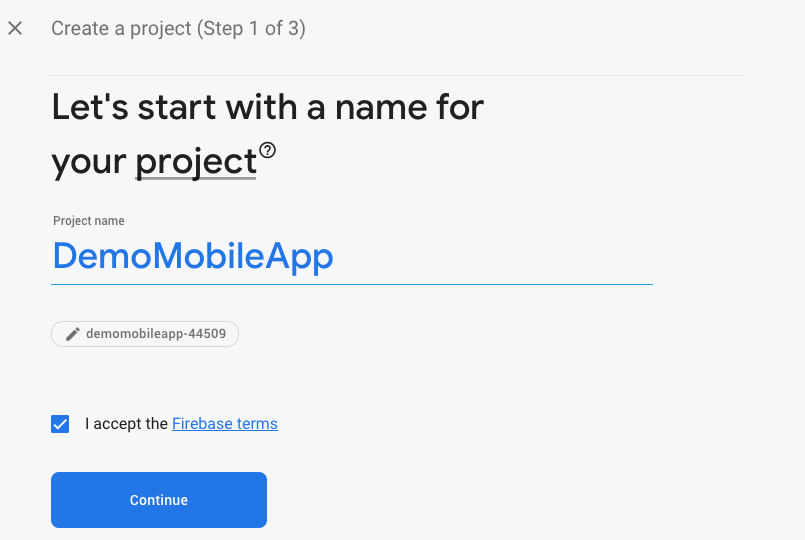
We can create new projects using ‘Create a Project’.

Phone number authentication - step 1

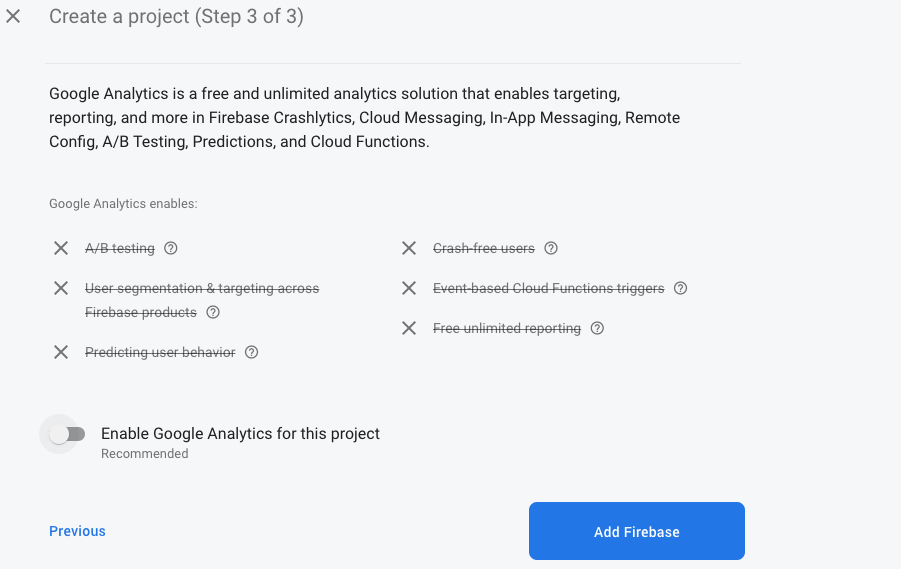
Disable the Google analytics toggle bar as we are not using Google Analytics and proceed to Add Firebase

Phone number authentication - step 1A

Step 2:

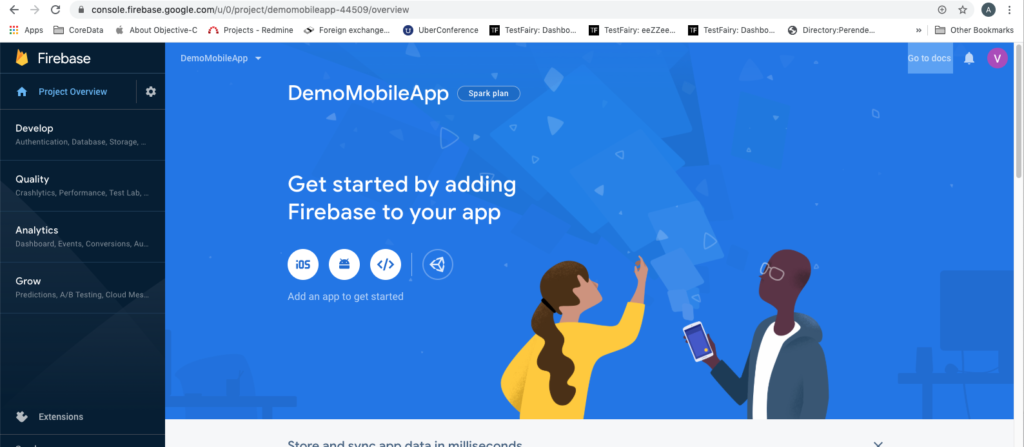
The created project gets displayed in the console. After selecting the project screen, the below screen is displayed.

Phone number authentication - step 2

Here we are going to add an Android App by selecting the android icon.

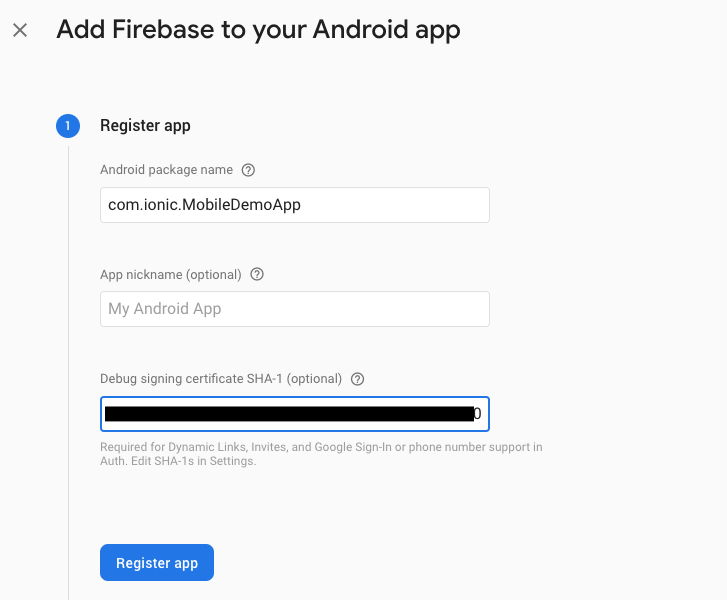
We should add an Android package name, because this is a mandatory one. SHA1 also can add for phone number authentication.

Phone number authentication - step 2A

How to get SHA1?

In the Mac system use the below command in terminal to get SHA1 key

keytool -list -v -keystore ~/.android/debug.keystore -alias androiddebugkey -storepass android -keypass android

Phone number authentication - step 2B

Step 3:

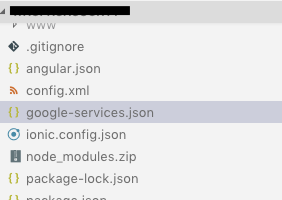
Download google-service.json file and add to the project folder.

Phone number authentication - Step 3

Step 4:

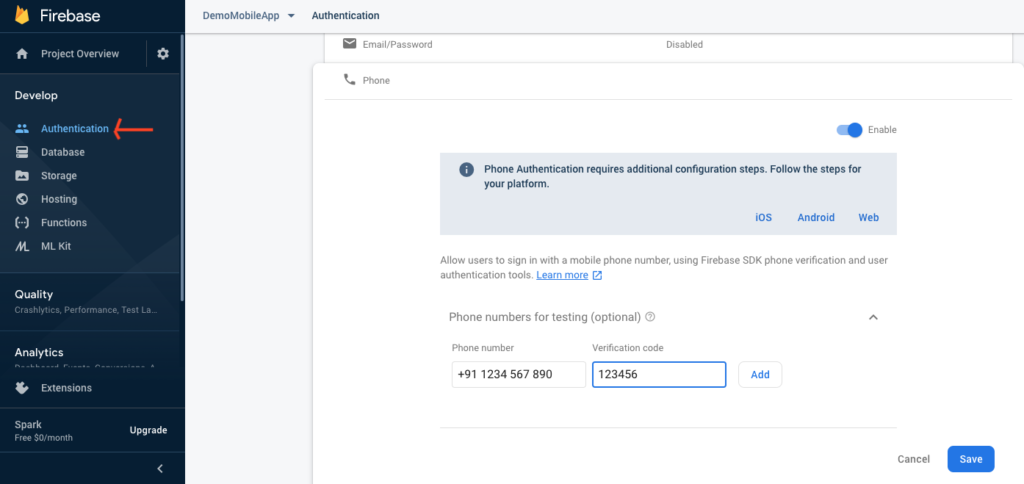
Next we can go to the Authentication section under project in Firebase console. Firebase has multiple authentication methods, we can enable the phone option and save it.

Firebase provides an option for Phone numbers for testing. We can enter a random number and provide a static password for it. In this scenario Firebase won’t send OTP every time, but will send the Verification code after that we can use the static OTP, which we already provided in Firebase.

Phone number authentication - step4

Step 5:

Here we needed to create a web app for Firebase config, and to this config add as a parameter in firebase initializeApp method.

<script>

// Your web app’s Firebase configuration

var firebaseConfig = {

apiKey: “AIzaS**********************”,

authDomain: “***-********.firebaseapp.com”,

databaseURL: “https://***********.firebaseio.com”,

projectId: “****************”,

storageBucket: “****************.com”,

messagingSenderId: “****************”,

appId: “1:****************:9****************f09”

};

// Initialize Firebase

firebase.initializeApp(firebaseConfig);

</script>

Categories
Software Testing

Automated Testing

Automated testing is a software testing method where an automated tool is used to test the software application and compare the actual and expected outcome. In the case of large projects, testing all the functionalities manually becomes tedious and in some scenarios, testing has to be repeated numerous times during development to ensure quality, this is where automation comes in. Automation replaces a series of manual testing tasks and involves automating the creation of test cases and execution of those test cases. Automated testing can also be used to test the application for load and performance. As it is impossible to automate all testing activities, it is important to identify the set of tasks that needs to be automated.

Advantages of automated testing

  • Testing can be repeated any number of times with no additional cost.
  • Brings efficiency in testing.
  • Reduces testing time.
  • Early detection of defects saves cost.
  • Automated testing is reliable. It brings actual results all the time.
  • Very useful to test repetitive tasks.
  • Complicated applications can be tested at ease.
  • Test results are precise and error-free.
  • Test scripts can be reused.
  • Increases the coverage of testing.
  • Automation testing is comprehensive and covers more functionality.
  • Automated testing can run without manual intervention.
  • Possible to simulate hundreds of virtual users during a performance test.

Deciding between manual and automation testing depends on the application to be tested. For instance, Testing an application for usability is best done manually. For GUI based applications, manual testing will be the best option whereas for a data-driven application automated testing will work best. There are some applications that require both manual and automation testing.

Automation in testing can be achieved through testing tools. Testing tools can be open source or commercial solutions.  Testing tools comes with numerous functionalities and capabilities and finalizing the tool is an important phase of the testing cycle. There are many popular testing tools that include Selenium, Katalon Studio, UFT, Test Complete, SoapUI, Apache JMeter and Postman. As automated testing is tool dependent, you need to choose the right tool that meets your project needs. The testing team should possess good knowledge about the testing tool and its features.

Things to keep in mind while selecting a tool

  • Does the selected tool best meet your project requirements?
  • Is the tool within your budget?
  • Does the tool support different types of test?
  • Does it have reporting capability?
  • Does it work on various platforms like web, mobile and desktop?

Testing that can be automated include:

Load – Automation proves beneficial in case of load testing. The testing tool can simulate thousands of virtual users and analyze the performance of the application

Smoke Testing – After each build, a quick automated test is done to review the code and find defects at an earlier stage.

Regression Testing – An automated tool is used to test the functional and non-functional aspects of the software after the software is updated.

Unit Testing – Automated testing is done at the source code level where the smallest piece of code is tested.

Integration Testing – Combine the unit tested modules and check if the interfaces and interactions between modules are functioning properly.

Functional Testing – Automated Testing to check the user interface and how the application functions.

Automated testing will reduce the development time and has many benefits when implemented properly. Seek expert advice and make an informed decision about the right testing method for your project.

Categories
Solutions

Enterprise Mobility Solutions

Businesses today are leveraging cutting-edge mobile technology to streamline their business operations and stay connected. Enterprise mobility solutions are required to grow business substantially in this digital era. ‘Enterprise Mobility’ refers to automating your business processes through mobile devices and encouraging employees to complete the task anywhere and anytime.

The Enterprise mobility market is expected to see tremendous growth in 2020. The enterprise mobility solution connects employees, suppliers and customers through a single platform and enhances business opportunities. To reap maximum benefits, the enterprise mobility solution should be aligned with your business goals. UX is critical to the success of enterprise mobile application. When developing an application utmost importance is given to user experience. More and more organizations have started investing in feature-rich enterprise mobile apps to redefine their business.

How Enterprise Mobility can benefit your business?

Mobilizing your business can bring in the following advantages:

  • Increase employee productivity
  • Optimize business operations
  • Expand the business outreach
  • Accessible anywhere anytime.
  • Improved communication
  • Improved customer service
  • Real-time access to data
  • Increased ROI

Prior to implementing Enterprise Mobility Solutions, analysis is done to evaluate the need for mobility solutions.

  • Present mobile capabilities of the organization
  • Effect of mobility on the employees and clients
  • Feasibility study to check if the business functions can be mobilized
  • End-user analysis
  • Risks and threats associated with implementing a mobility solution
  • Business goals to be achieved

While Organizations are in need of enterprise mobility solutions, they face challenges in transforming their idea into reality. If your organization is willing to explore the mobile solution to run the day-to-day business, it would be ideal to bring experts to implement the transformation.

How to develop enterprise mobility solutions?

  • Identify the requirements of the organization
  • Outline an approach
  • Identify the technology platform
  • Decide between the native and cross-platform approach
  • Develop the application
  • Test on different devices
  • Deploy the solution and launch it on the app store

Our Expertise in Enterprise Mobility Solution

Techcedence has the expertise and skill set in consulting, design and development of enterprise mobility solutions. We adopt a strategic approach to deliver mobility services. Our team of mobile experts has built innovative mobile solutions across different verticals that include Travel, Healthcare, Real Estate, Retail, and Logistics. Our advanced mobile solutions are functionally rich, user-friendly and improve productivity.  

Get in touch with us to develop a mobile strategy for your business requirements.

Categories
Software Testing

A Beginners Guide to Test Automation Framework

A testing framework is a combination of practices and tools designed to provide a foundation for test automation. Test automation uses software to run the test cases and check the actual and predicted outcome. The Test automation framework is an execution environment for running automated test scripts.

A test automation framework is important for effective and efficient automated testing. It provides reusable components like utilities and libraries and helps the QA team to test effectively in a shorter time frame.

Advantages of a test automation framework

There are many advantages of using a test automation framework. It accelerates script development and execution. It primarily saves time and cost and makes it easy for the QA team to adopt standard practices.

  • Reusable code
  • Low maintenance
  • Less manual intervention
  • Increased test coverage
  • Reliable and consistent
  • Efficiency and accuracy
  • Easy analysis of results

Types of Test Automation Framework

There are different types of test automation framework available.

  • Linear automation Framework
  • Modular Testing Framework
  • Data-Driven Testing Framework Keyword Driven Testing Framework
  • Hybrid Testing Framework
  • Library Architecture Testing Framework
  • Linear automation Framework

This is a basic level test automation framework that operates in a linear fashion. The tester records each step and plays the script to execute the test in linear order. This framework is suitable for testing small-sized applications.

  • Modular Testing Framework

In this model, the testers divide the entire application into multiple modules and test scripts are created module wise. This framework is commonly referred to as a module-based framework. The individual test scripts are combined to build a larger test using a master script. The master script invokes the modules to run test scenarios.

  • Data Driven Testing Framework

The Data-driven framework allows creating test scripts for different sets of test data. All possible inputs and expected outcomes are kept in data files. This framework comes handy when functionality has to be tested for different set of inputs. The test framework provides input through external files such as Excel sheets, MS Access tables, SQL Database, XML files and observes test outcomes.

  • Keyword Driven Testing Framework

This framework is similar to a data-driven testing framework. In this model, keywords or action words for each function are defined in table format. Test scripts are created based on the keywords.

  • Hybrid Testing Framework

This framework is a combination of the above frameworks. It can be customized to the project needs and it leverages the benefits of all associated frameworks.

  • Library Architecture Testing Framework

This is similar to the modular testing framework. Instead of dividing the application based on test scripts it is split based on common functions. These functions are placed in a library that can be accessed by test scripts.

This article briefs about popular testing frameworks used for automation testing. The testing framework should be scalable and application independent. It is helpful when a team of developers is programming different modules of an application. A standard framework will help developers to adopt a common approach towards automation.

Categories
Development

Field Service Application and its Advantages

Field Service Management refers to managing resources involved in the installation and servicing of equipment. In Field Service Management, Managers are under constant pressure to meet customer expectations, monitor the work done by service technicians and provide insightful data to management. Scheduling and dispatching service executives based on their availability is also cumbersome. Technicians / Service executives are also in need of tools to ease their work in the field. Getting the right information at the right time can improve their productivity. The service team requires access to real-time data to address customer queries and provide better service. Challenges faced by technicians on the field include lack of access to information about the customer and previous work order, delay in getting approval from supervisors, sending instant updates about the job status. This article briefs how a field service software accelerates business productivity.

What is Field Service Management Software?

Any Organization that deploys technicians to the client site can make use of Field Service Software. The software can assist your sales team to spend more time selling and have better communication with the customer. The application is conveniently installed on the technician’s mobile device. The application is integrated with back-office and technicians get access to customer history.

A field service application automates and manages end-to-end field service operations. The software aligns the service operation in line with your business goals. The software enables to effectively manage your workforce and schedule tasks.  A good field service application allows Managers and Supervisors to spend less time monitoring the service operations on the field.

The goal of any business is to provide better customer service. A field service software helps to achieve higher customer satisfaction and customer retention. The software helps in effective work order scheduling by quickly assigning tickets based on the technician’s skill set, availability and current location. It reduces the delay in addressing customer tickets. It also allows the rescheduling of tickets if the customer / technician is not available and reduces downtime. The software allows managing the inventory of equipment and spare parts used while servicing.

Customer Portal

The FSM application comes with a customer portal that can be installed on both Android and iOS devices. The portal allows customers to register a service request, view invoices, AMC and warranty details and make an online payment.

The FSM application is also integrated with call center operations allowing quick scheduling of tickets.

Advantages to the technicians

  • Effective work planning for the day
  • Assign tickets for the day
  • Access to information from anywhere
  • Improved communication between customer and technician
  • Get Reminders and notifications
  • Automates billing
  • Captures Digital Signature

Benefits to the Organization

  • Optimized task scheduling
  • Higher Return on Investment
  • Fully automated invoicing and billing
  • Real-time Analytics
  • Instant updates on the job status
  • Speedy Issue Resolution
  • Improved Customer Service
  • Effective scheduling of tickets
  • Reduces downtime /unproductive time
  • Easy Inventory Management
  • Dashboards and analytics
  • Reports on service team performance
  • Reports on Service History
  • Insights for better decision making
  • Integration with ERP

There are many FSM software available in the market. But one size doesn’t fit all. Finding the right field service application can be challenging.

If you are looking for a field service management software that can be customized for your business, contact us today.

Categories
Development

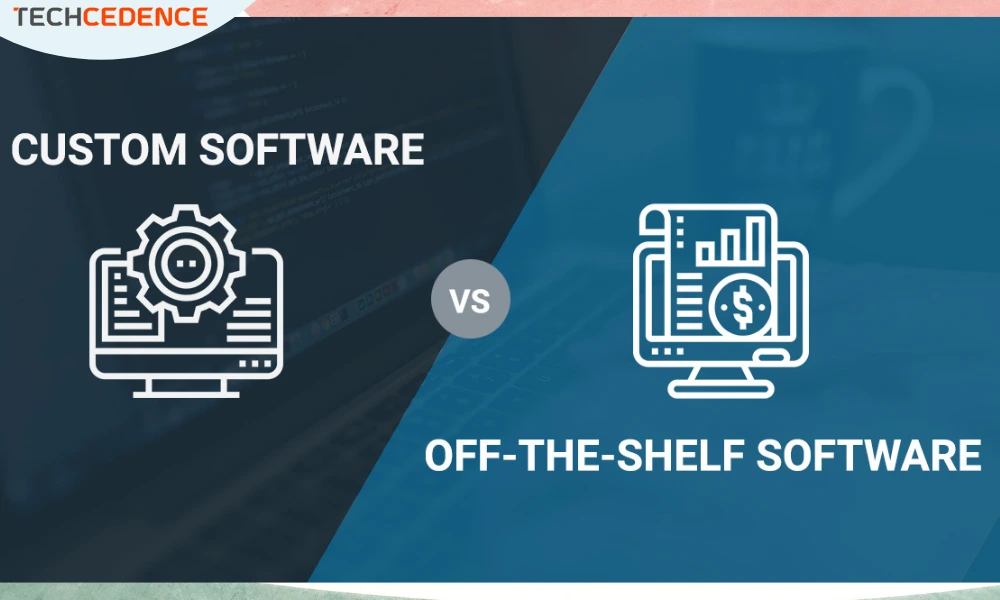
Custom Software or Off the Shelf – Decide what is right for you

Deciding between custom software and off the shelf software is a key business decision for any organization. Each option has its own merits and drawbacks. You have to weigh them carefully before deciding what is beneficial for your business.

Off the shelf

An Off the shelf (or bespoke) software refers to products that are readily available in the market. It comes handy and requires less set up time. They are designed for a broader audience so they will have numerous features all of which might not be useful to your business. The off the shelf product may not have certain functionalities that your business demands. Some vendors provide options to customize the product based on your requirements.

Pros

  • Quick set up – can be implemented straight away
  • Free trials – you can try them for free
  • Discussion forum – you can get answers from user forums for queries
  • Low upfront cost – initial set up cost is low
  • Regular upgrades available

Cons

  • License cost – you have to buy the product
  • High maintenance cost – upgrades, changes, and support comes with additional cost
  • Ownership – you don’t own the source code
  • Lacks Scalability – it is not easy to modify the product
  • Missing features – it may not have all elements required by your business
  • Compatibility issue – it might conflict with your current system

Custom software

Be it a shoe or a dress we all know one size doesn’t fit all. An off the shelf software might be readily available but it might not help your business plan in the long run. Custom software is designed exactly to match your requirements and overcomes the shortcomings of an off the shelf product. It might come with a higher initial cost but it requires no license and upgradation is easy as you own the source code.  Most of the custom applications are user-friendly as they don’t have redundant functionalities. A well-built custom application can be better than any commercial off the shelf product.

Pros

  • Tailor-made – customized for your business
  • Ownership – you get ownership of the product
  • Expandable – flexible, can scale up with changing needs of your business
  • Maintenance and support – easy to get technical assistance from the development team
  • Secured – security aspects of the application can be designed to your choice
  • Integration – easier to integrate with other systems
  • An advantage over your competitors who use same off the shelf product

Cons

  • Cost – Higher initial cost as it is done exclusively for you but has a long term gain
  • Time – It definitely takes time to build custom software.

The risk involved in building a custom software might be addressed by choosing an organization who has ample expertise in developing custom applications. Weighing the pros and cons and keeping your long term business goal in mind decide on the right option.

Get in touch with us for any questions you may have regarding custom software development.